 Магазин
Поскольку количество случаев насилия на рабочем месте продолжает расти, а угрозы безопасности усложняются в различных отраслях, организации все чаще обращаются к беспроводным системам тревожных кнопок для лучшей защиты своих сотрудников. Чаще всего их можно увидеть в больницах и гостиницах, где тревожные кнопки используются в рамках стратегий безопасности для персонала, испытывающего стресс, и для сотрудников, работающих в одиночку.
В чрезвычайной ситуации у сотрудников может быть всего несколько секунд, чтобы обратиться за помощью. Наличие легкодоступных тревожных кнопок обеспечивает быстрый и незаметный способ для персонала немедленно вызвать помощь, не покидая своих рабочих мест.
В этом руководстве мы рассмотрим роль технологии тревожных кнопок IoT в обеспечении безопасности на современном рабочем месте. Мы также расскажем вам о ключевых факторах, которые необходимо учитывать при выборе тревожных бирок для персонала , включая тип устройства, беспроводное подключение, время работы от батареи и требования к развертыванию.
Почему системы тревожных кнопок на рабочем месте стали необходимыми
Вне зависимости от того, управляете ли вы больницей, школой, розничным магазином или офисом, на вашем рабочем месте может возникать все больше рисков для безопасности. От поддержки медицинских работников, сталкивающихся с агрессивными пациентами, до персонала отелей, работающего в одиночку в ночные смены, и полевых техников, проводящих часы в отдаленных местах, организациям всех типов необходим надежный способ отслеживания местонахождения сотрудников и подтверждения их безопасности во время чрезвычайных ситуаций.
Насилие на рабочем месте является одной из основных причин смертельных производственных травм. По данным OSHA , ежегодно около 2 миллионов работников сталкиваются с насилием на рабочем месте; в 2023 году 740 из этих инцидентов закончились смертельным исходом. Работники здравоохранения подвергаются особенно высокому риску, примерно в пять раз превышающему риск в других отраслях. Защита работников имеет важное значение для:
- Безопасность сотрудников: Сотрудникам во всех отраслях необходим надежный способ вызова помощи в случае чрезвычайных ситуаций, угроз или медицинских происшествий.
- Соответствие нормативам: В таких секторах, как здравоохранение, гостиничный бизнес и производство, от организаций может потребоваться документирование инцидентов и демонстрация наличия процедур реагирования на чрезвычайные ситуации.
- Непрерывность бизнеса: Обеспечение безопасности и поддержки работников снижает риски юридической ответственности, ущерб репутации и простои в работе.
Системы тревожных кнопок автоматизируют оповещение о чрезвычайных ситуациях и позволяют осуществлять дистанционный мониторинг персонала на всех объектах. Руководители могут немедленно определить, кто активировал сигнал тревоги, где произошел инцидент и была ли отправлена помощь.
Как работает тревожная кнопка на рабочем месте?
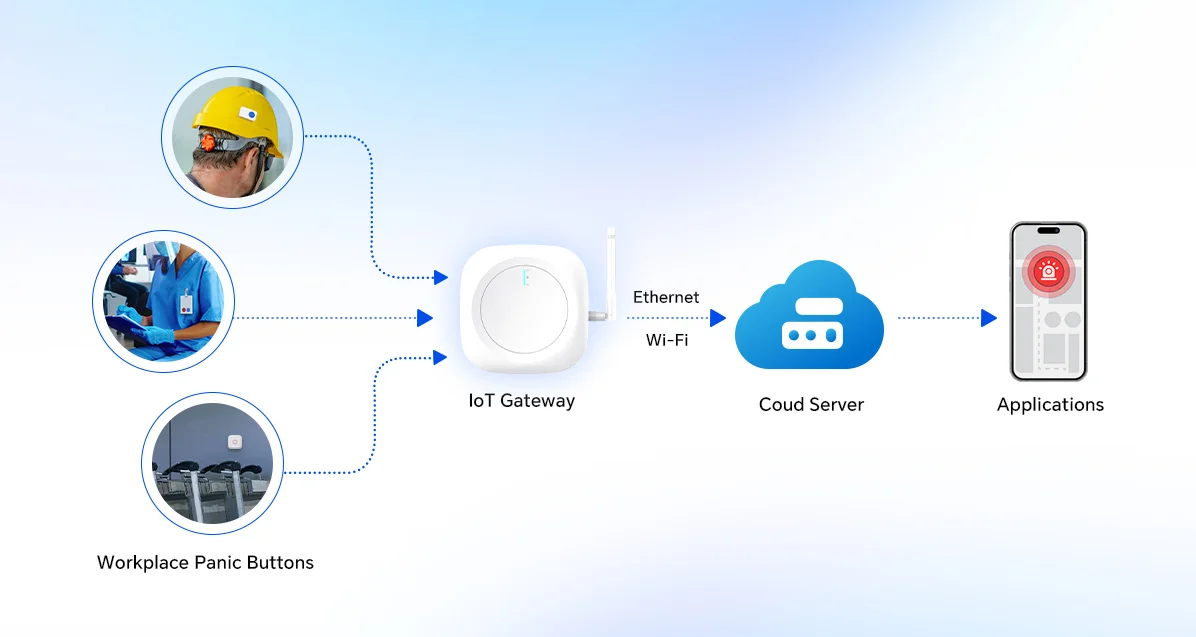
Кнопка экстренного вызова на рабочем месте — это носимое или стационарное беспроводное устройство, которое при активации немедленно отправляет оповещение в определенном месте. Система экстренного вызова с поддержкой IoT позволяет сотруднику запросить мгновенную помощь. Она в основном состоит из трех компонентов:
- устройства с кнопкой паники
- Инфраструктура связи для надежной передачи сигнала
- Платформа оповещений, которая доставляет сигналы реагирования в считанные секунды.
Когда сотрудник нажимает кнопку, устройство передает сигнал по беспроводному протоколу на ближайший шлюз или сетевой узел. Получив сигнал, платформа идентифицирует сотрудника и его местоположение и немедленно отправляет оповещение назначенным ответственным лицам через приложение, SMS-сообщение или панель управления.
Оцените требования к безопасности на вашем рабочем месте.
Большинство организаций сразу переходят к оборудованию. Именно здесь обычно и возникают проблемы при развертывании. Подходящая система для вашей больницы будет сильно отличаться от той, что вам понадобится на строительной площадке. Ответьте на следующие вопросы:
Трудовые ресурсы
- Кому и где нужна защита? В зависимости от отрасли, защитой могут нуждаться сотрудники, работающие в одиночку, персонал ночной смены или удаленные выездные бригады. В здравоохранении это часто включает медсестер, врачей и сотрудников отделений неотложной помощи.
- К каким типам инцидентов вы готовитесь? Существуют различные виды угроз безопасности, медицинские чрезвычайные ситуации, несчастные случаи, связанные с падением, и ситуации с агрессивным поведением клиентов, которые требуют различных ответных мер.
Окружающая среда
- Какова планировка вашего объекта? Площадь, количество этажей, строительные материалы (бетон, металл, стекло) и «мертвые зоны» могут влиять на производительность беспроводной связи. Например, технология Bluetooth RTLS часто используется в больницах и складских помещениях, поскольку требует точного позиционирования внутри помещений.
- Есть ли уже существующая инфраструктура, которую можно использовать? Если у вас уже развернуты шлюзы Wi-Fi или LoRaWAN, то BLE или LoRaWAN — отличный выбор, позволяющий избежать подобных избыточных инвестиций.
Реагирование и соблюдение требований
- Какие у вас требования к соблюдению нормативных требований? У вас могут быть отраслевые требования, например, в здравоохранении, гостиничном бизнесе, производстве или образовании. Закон о безопасности работников розничной торговли (RWSA) и программа AHLA «5-звездочное обещание» для гостиничной индустрии.
- Как будет выглядеть процесс реагирования? Кто получит оповещение при срабатывании сигнализации? Насколько быстро им нужно отреагировать, и будет ли им предоставлена информация о местоположении? В зависимости от вашей системы, реагирование может осуществляться вашей собственной службой безопасности или передаваться в сторонний центр мониторинга или в местные службы экстренной помощи.
Прежде чем рассматривать какой-либо продукт, обдумайте следующие вопросы. Ответы на них повлияют на все последующие решения, касающиеся возможностей подключения, типа устройства, плотности шлюзов и настройки платформы.
Стационарные или носимые кнопки экстренного вызова: что лучше?
Правильный выбор аппаратного обеспечения для тревожных кнопок закладывает основу для эффективного реагирования на чрезвычайные ситуации и защиты персонала. В системах безопасности на рабочем месте эти устройства служат основой для управления инцидентами в режиме реального времени. После определения необходимых возможностей подключения оцените устройства: носимые и стационарные тревожные кнопки.
Вот наиболее часто используемые кнопки экстренного вызова на рабочем месте:
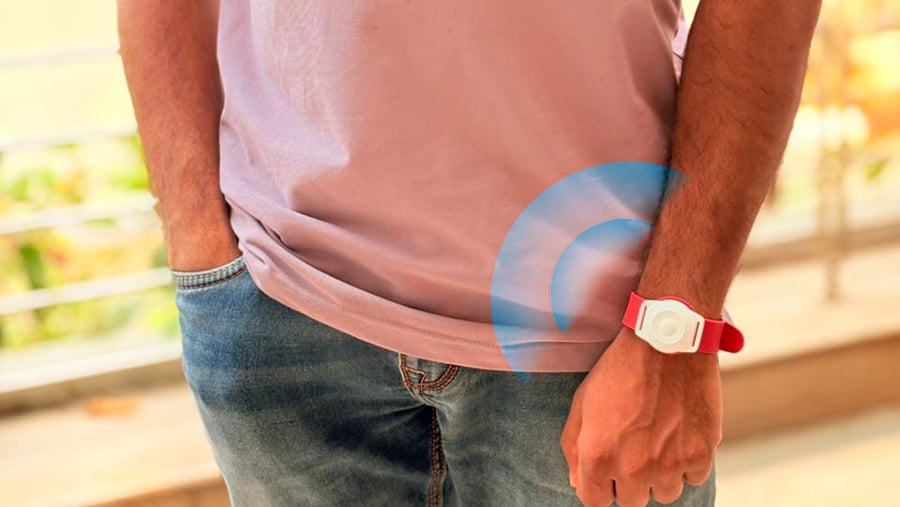
Персональные кнопки экстренного вызова, которые можно носить на руке (зажимы для бейджей, шнурки, браслеты).
Носимые устройства всегда находятся рядом с вашими сотрудниками. Это делает их оптимальным выбором для сотрудников, работающих в одиночку, мобильных групп или в любом другом месте, где угроза может перемещаться вместе с ними. Недостаток заключается в том, что их необходимо носить, заряжать и заменять в случае утери. В условиях интенсивного движения это сложнее контролировать, чем кажется.
Сигнализация в виде бейджа — один из самых популярных типов устройств сигнализации, используемых в медицинских учреждениях, особенно те, которые имеют две кнопки. Примером может служить бейдж MOKO H5PD Duress Badge , который имеет две программируемые кнопки для активации различных типов сигналов, таких как помощь и безопасность.
Стационарные настенные кнопки экстренного вызова
Отслеживайте активность оповещений на стойках регистрации, в серверных комнатах и других стационарных местах повышенного риска, чтобы разрабатывать протоколы реагирования и выявлять пробелы в обеспечении безопасности.
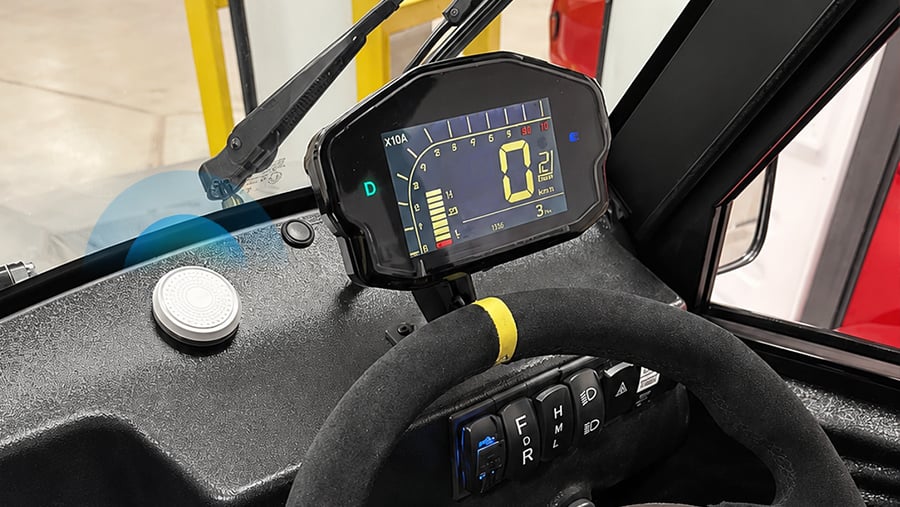
Стационарные кнопки не двигаются — в этом их преимущество и одновременно недостаток. Они устанавливаются на постах медсестер, стойках регистрации в отелях, лестничных клетках и парковках; они всегда на месте и не требуют участия персонала или регулярной зарядки. Но они защищают только тех сотрудников, которые физически находятся достаточно близко, чтобы до них дотянуться, а это не всегда так в условиях высокой скорости движения.
Интеллектуальная кнопка MOKO LW013 LoRaWAN® идеально подходит для стационарных аварийных выключателей в общественных местах. Она имеет удобную кнопку, мощный звуковой сигнал и возможность настройки действий для мониторинга безопасности на большом расстоянии.
Бесшумные настольные и подстольные сигнализации
В случае угроз безопасности и агрессивных инцидентов необходимы незаметные оповещения. Локально установленная бесшумная сигнализация сработает быстрее, чем вызов помощи.
Бенефиты:
- Незаметная и невидимая активация одним касанием.
- Мгновенное оповещение службы безопасности или руководства.
- Идеально подходит для сотрудников, работающих в сфере обслуживания клиентов и занимающихся обработкой наличных денег.
Такие решения, как аварийная кнопка MOKO B3 с круглой и большой кнопкой SOS, представляют собой прочное устройство с поддержкой Bluetooth, идеально подходящее для оповещения и напоминания об экстренных ситуациях одним нажатием.
В целом, если вы начинаете с нуля и не знаете, во что инвестировать, носимые устройства почти всегда являются лучшим первым вложением. Стационарные кнопки используются для защиты определенных мест. Носимые устройства защищают людей — а именно людей вы и защищаете.
Выбор подходящих тревожных кнопок для вашего рабочего места
Не каждая тревожная кнопка подходит для любых условий. Бейдж, подходящий для медсестры в оживленном отделении, не подойдет для одинокого техника на удаленной подстанции, а ошибка в этом случае приведет к пробелам в обеспечении безопасности в самый важный момент.
Рассмотрим следующий пример:
- Носимые и стационарные тревожные кнопки для больниц, складов или изолированных рабочих зон.
- К платформе безопасности подключены датчики окружающей среды (обнаружение падения человека, оповещения о падении, сигналы тревоги об отсутствии движения).
- Отслеживание по Bluetooth + Wi-Fi + GPS для мобильных сотрудников, полевых техников и персонала, работающего в условиях повышенного риска.
Контрольный список выбора кнопки экстренного вызова
Ознакомьтесь с этим контрольным списком, чтобы убедиться, что ваши потребности в электропитании, оповещениях и условиях эксплуатации согласованы.
- Условия эксплуатации: В помещении? На открытом воздухе? В пыльной? Влажной? В удаленном или изолированном месте? Выбирайте устройства, рассчитанные на условия вашего объекта, а для некоторых даже требуется сертификат ATEX.
- Способ подключения: выясните, какой из способов — BLE, сотовая связь или LoRaWAN — лучше всего соответствует вашим потребностям в покрытии и времени отклика.
- Ограничения при установке: Учитывайте поверхность для монтажа, источник питания, помехи сигнала и расстояние до групп реагирования.
- Механизм активации: Важно однократное, двукратное или удерживание нажатия, так как это предотвращает случайные касания.
Развертывание сети тревожных кнопок на рабочем месте
Установить устройство на стену или прикрепить его к бейджам сотрудников — это простая задача. Сложнее обеспечить доставку сигналов до адресата и своевременное оповещение нужных людей, чтобы это имело значение.
Передовые методы развертывания рабочих процессов
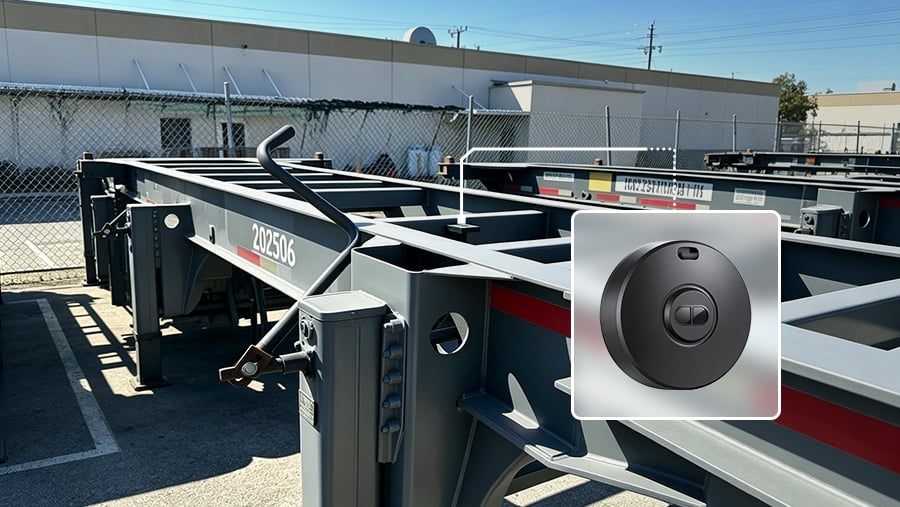
- Размещайте стационарные кнопки рядом с зонами повышенного риска, входами, стойками обслуживания и изолированными рабочими местами. Как правило, носимые устройства больше подходят для обеспечения контроля со стороны мобильного персонала.
- Используйте прочные компоненты с классом защиты IP67/IP68 и корпуса с защитой от несанкционированного доступа для использования на открытом воздухе и во влажных условиях.
- Обучение должно включать в себя: понимание того, как устройство активируется и используется на рабочем месте.
Даже при тщательно спланированном развертывании возникают препятствия, такие как «мертвые зоны» сигнала, которые не были выявлены при тестировании, или рабочие процессы реагирования, которые выглядят понятно на бумаге, но не работают на практике. Поэтому крайне важно выделить время на пилотный запуск приложения перед полномасштабным внедрением.
Возможности подключения
Выбирайте в зависимости от зоны покрытия сети, скорости отклика и энергопотребления:
- BLE: Низкое энергопотребление, надежная связь на коротких расстояниях с хорошим проникновением в здания.
- LoRaWAN: Большая дальность действия, низкое энергопотребление, идеально подходит для широкого покрытия и частных сетей.
- Сотовая связь: Подходит для мест с покрытием мобильной сети, требует SIM-карты и оплаты за передачу данных.
Электропитание
Устройства MOKOSmart, такие как кнопка экстренного вызова B1 и носимая кнопка экстренного вызова LW014, рассчитаны на длительную работу и могут перезаряжаться. Желательно, чтобы они имели сменный/перезаряжаемый аккумулятор, а также функцию оповещения о низком заряде батареи.
Выберите из:
- Литиевые элементы большой емкости для многолетней эксплуатации.
- Перезаряжаемые литий-полимерные батареи для упрощения зарядки и обслуживания.
Простота долгосрочного обслуживания перезаряжаемых батарей имеет и дополнительный недостаток — устройства необходимо заряжать. В условиях интенсивной работы это не всегда легко, а разряженная батарея в экстренной ситуации хуже, чем полное отсутствие устройства. Прежде чем приобретать только перезаряжаемые батареи, проверьте график зарядки, который соблюдает ваша команда.
Интеграция и совместимость платформ
Эффективность вашей системы тревожных кнопок зависит от используемой платформы. Убедитесь, что ваша система тревожных кнопок может быть интегрирована с вашей системой мониторинга для настройки, мониторинга и масштабирования на нескольких площадках. Стоит заранее запросить открытые API. Многие поставщики заявляют о наличии интеграций, но на практике для их запуска потребуется значительное участие ИТ-специалистов — учтите это при планировании времени и бюджета.
Почему стоит выбрать MOKOSmart в качестве лучших тревожных кнопок?
Компания MOKOSmart разрабатывает устройства IoT уже более 17 лет, и наши аппаратные кнопки экстренного вызова используются в медицинских учреждениях, отелях, складах и удаленных полевых подразделениях. Мы предлагаем решения на основе LoRaWAN, Bluetooth и сотовой связи, а также носимые и стационарные форм-факторы. Устройства могут быть адаптированы к вашей среде, стандартам соответствия и существующей инфраструктуре — наши специалисты помогут вам настроить устройство, размер и конфигурацию которого будут соответствовать особенностям вашей работы.